E-Ink Tablets
Best E Ink Tablet Without Subscription: 4 Top Picks
4 picks compared
8 min read
Unbiased Advice & Insights is reader-supported. As an Amazon Associate we earn from qualifying purchases, at no extra cost to you. It never changes our picks.
?How we pickedWe compare published specifications, safety certifications and thousands of verified owner reviews, and we do not physically test every unit. Read the full process in our review methodology.
Onyx Boox Note Air4 C
★★★★★ 4.5 / 5 Best overall
Because it runs full Android, the Boox Note Air4 C lets you sideload the apps you already use, sync notes to your own cloud, and read in almost any format without paying a monthly fee. Its color Kaleido screen adds subtle color to PDFs and web pages, which is a nice extra for a subscription free workflow.
Display 10.3 inch color Kaleido 3 e-inkOS Android with open app installsInput Stylus for handwriting
- No subscription for any core feature
- Open Android means Google Drive, Dropbox, or any reading app
- Color screen helps with PDFs and annotations
- Color e-ink looks muted and lower resolution than grayscale
- Android layer can feel busy compared with simpler slates
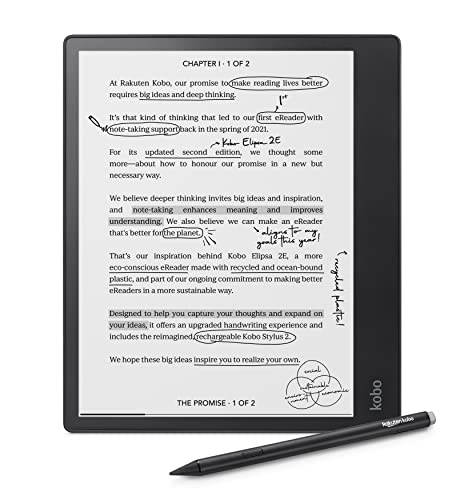
Kobo Elipsa 2E
★★★★★ 4.4 / 5 Best for reading
The Elipsa 2E is a clean, distraction free reader and note taker with no subscription attached to its writing or reading features. It reads EPUB natively, integrates with library borrowing through OverDrive, and comes with a stylus in the box, so ongoing costs stay at zero.
Display 10.3 inch grayscale e-ink, 227 ppiFormats EPUB, PDF, and more, no store lock-inExtras Included stylus, library integration
- Native EPUB support and easy library borrowing
- No fees for notebooks or reading
- Stylus included rather than sold separately
- Handwriting and PDF markup are more basic than on Boox
- No color option in this model
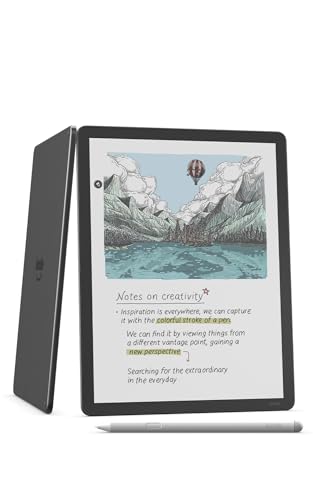
Amazon Kindle Scribe
★★★★★ 4.4 / 5 Best for Kindle users
The Kindle Scribe charges nothing extra for note taking, and reading is a one time purchase per book rather than a subscription. If your library already lives in the Kindle ecosystem, it is the most seamless way to add handwriting to a big, crisp e-ink display without recurring fees.
Display 10.2 inch grayscale e-ink, 300 ppiNotes Handwriting notebooks, no feeEcosystem Kindle store and library integration
- Sharp 300 ppi text for comfortable reading
- Note taking has no subscription cost
- Deep Kindle library and Send to Kindle support
- Sideloading non Amazon formats is clunky
- PDF and document handling is weaker than the writing features
reMarkable 2
★★★★★ 4.3 / 5 Best writing feel
The reMarkable 2 is prized for its paper like writing texture and focused, no clutter interface, and all of its on device writing and reading works without paying anything. Just note that the optional Connect plan unlocks extra cloud sync and handwriting conversion, so read the feature list before you assume everything is free.
Display 10.3 inch grayscale e-inkFeel Textured surface for paper like writingFocus Minimal, distraction free interface
- Best in class writing texture and latency
- Core writing and reading work with no fee
- Very focused, no app store distractions
- Optional Connect subscription gates some cloud and conversion perks
- No app ecosystem, so it does one thing only
Published July 19, 2026 · Availability last checked July 2026 · Reviewed by the UAI editorial team · How we research and score
What subscription free really means
Almost every e-ink tablet lets you read and write on the device without paying, so the real question is what you lose when you refuse to subscribe. reMarkable's Connect plan, for example, gates cloud sync and handwriting conversion, while Boox, Kobo, and Kindle keep their core note and reading features free forever. Read each maker's feature split before buying.
Open Android versus a closed reader
Boox tablets run full Android, so you can install Kindle, Libby, Google Drive, and your own note apps, which is the surest path to zero recurring cost. Kindle, Kobo, and reMarkable are more closed and focused, which many people prefer for fewer distractions but which limits how you move files around without paying for cloud.
Getting files on and off for free
If you skip cloud subscriptions, plan how you will transfer books and notes. USB C transfer, sideloading, and Send to Kindle all work without fees, and Kobo and Boox both support library borrowing through free apps. A little manual syncing is the trade for never paying a monthly charge.
More guides
See our full guides hub and our research and scoring methodology. Every pick is judged on the same weighted criteria: real-world performance, reliability, ease of use, owner satisfaction and value.
Questions people ask
Which e-ink tablets truly have no subscription?
The Boox Note Air4 C, Kobo Elipsa 2E, and Kindle Scribe all keep note taking and reading free with no recurring fee. The reMarkable 2 also works fully offline, but its optional Connect plan adds cloud sync and handwriting to text conversion, so review what you actually need.
Does the reMarkable really need Connect?
No. Writing, reading, and USB transfers work without paying. Connect mainly adds unlimited cloud storage, mobile and desktop sync, and handwriting conversion, so if you sync manually you can skip it entirely.
Can I read library books without a subscription?
Yes. The Kobo Elipsa 2E connects to library lending through OverDrive, and the Boox tablet can install the Libby app since it runs Android. Neither charges a fee beyond your free library card.
The bottom lineSo which one?
The Boox Note Air4 C is the most flexible truly subscription free choice because open Android lets you use any app and any cloud. Kindle and Kobo owners are better served staying in their own ecosystem, where notes are free and books are one time purchases.